
Next Steps
Last updated 7 April 2026
The Next Steps feature in the Overview is designed to give you a clear understanding of where you are in a case and what actions need to be taken next.
It provides a simple, guided view of the case journey, highlighting the current point in the process and suggesting the next steps to move things forward. This helps remove any uncertainty around what to do next, particularly when managing multiple cases or returning to a case after some time.
For cases where you’re ready to move forward more quickly, you also have the option to skip directly to Resolution.
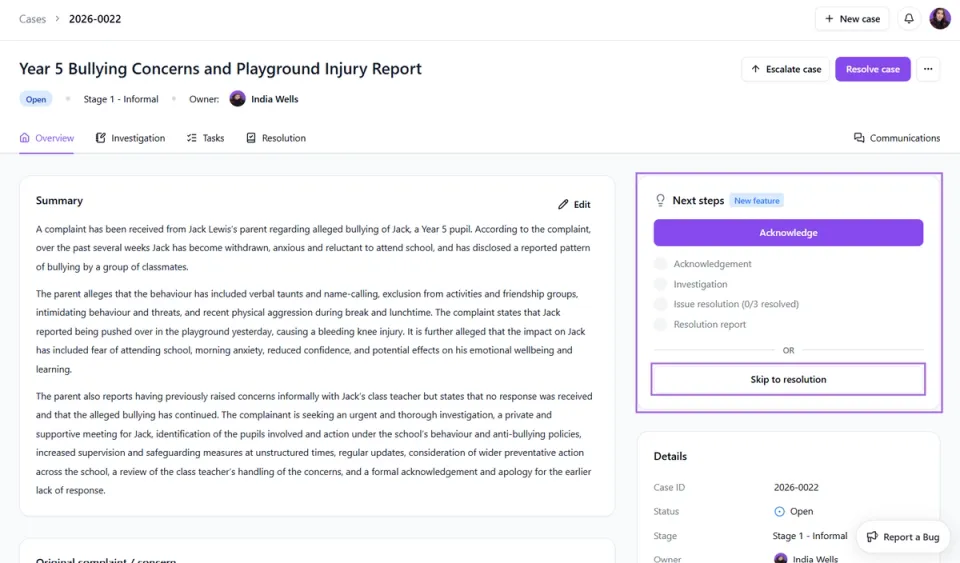
How it works:
- Open the relevant case
- Navigate to the Overview tab
- Locate the Next Steps section
- Review your current position in the case and the recommended next action